
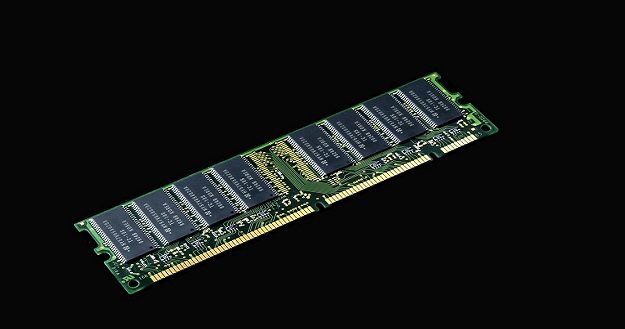
Do you know what does RAM do in a Computer? RAM can load and process data very quickly, which makes the processor’s work easier and increases the computer’s performance. The more RAM in a computer, the faster and more efficient.
We hope you’ll get a clear idea after reading this topic. Our computer experts have discussed RAM and its importance in a computer.
What is RAM in a Computer?
Simply put, RAM, or Random Access Memory, is a hardware device mainly used to store data that you want to access quickly. RAM is also called PC memory, memory, or volatile memory.
It is a type of computing device that acts as a short-term memory. It stores and accesses data while a computer is running. At the same time, RAM can run various programs or access multiple files.
The main functions of RAM are storing and accessing data quickly. RAM is a memory where data can be written and read very quickly. It stores temporary data for all the programs running on your computer.
The RAM is a volatile memory, which means that all data in RAM is erased when the computer is turned off or restarted. So it is only used while the computer is running.
Features of a RAM
Now let’s find out what the features of RAM.
- RAM is the temporary memory of the computer.
- RAM is called volatile memory (All the data in RAM is erased when the device is turned off).
- It is quite expensive compared to other memories.
- It is much faster than secondary memory.
- A 32-bit computer can use a maximum of 4 GB of RAM.
- A 64-bit computer can use a maximum of 16 GB of RAM.
- RAM can run multiple programs simultaneously.
- RAM acts as a cache memory.
Types of RAM in a Computer
There are many types of RAM, but they can be divided into two main categories:
Static RAM (SRAM): It is fast and uses less power, but it is more expensive and has less capacity.
Dynamic RAM (DRAM): It offers more capacity at a lower cost but uses more power and has to refresh data slowly.
Currently, DDR (Double Data Rate) RAM is the most popular, with advanced versions such as DDR4 and DDR5 being used in modern computers and smartphones.
What does RAM do in a Computer?
RAM is the core component of a computer or laptop. It performs every task when your computer is running, such as playing games, video editing, browsing the internet, and opening an app. If you want faster access, you need more RAM. A large RAM helps to run multiple programs at the same time.
What does RAM do in a Computer? The answer is: when you turn on your computer or laptop, open a file, edit a Word file, or open a web browser, you have used RAM.
To clearly understand, when you run a program or open a file, that data is first transferred from your computer’s permanent storage (such as a hard drive or SSD) to RAM. Then the data quickly reaches from RAM to the processor, which helps the computer work faster. When the processor performs a task, it works with instructions and data from RAM to process the data.
For example, you’re running video-editing software on your computer. Reading all the data from the video file directly from the hard drive would be time-consuming.
So, the program first loads a portion of the data into RAM. The processor then uses the data in RAM to process the various frames of the video, making the entire task faster and easier.
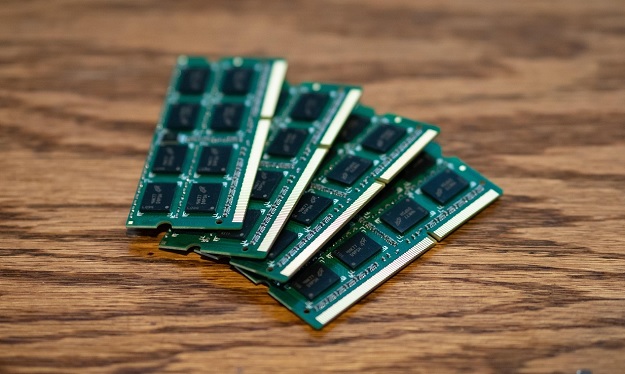
Main Function of RAM
Storing information: It stores data temporarily needed by the processor for quick access.
Multi-tasking: RAM plays an important role in running multiple programs at the same time.
Acting as cache memory: RAM acts as cache memory in some cases, which makes the processor work faster.
Why is RAM used in a Computer?
When a computer program or application software is run, all its data is stored on the hard drive and is processed by the CPU. So the CPU takes all the data from the hard drive (storage) and processes it.
But its greatest difficulty is that the data is transferred from the hard drive to the CPU at a very slow speed, resulting in a very slow data processing process. That’s why RAM is used for this faster data processing.
Moreover, it is essential to keep RAM to run your computer smoothly. Using full RAM can slow down your computer, make it impossible to run multiple apps at the same time, and may send error messages.
FAQs about RAM
1. What does RAM stand for?
RAM is a type of computer memory that stands for random access memory. It is called volatile memory, which is basically used to temporarily store and access computer data.
2. How much RAM do I have?
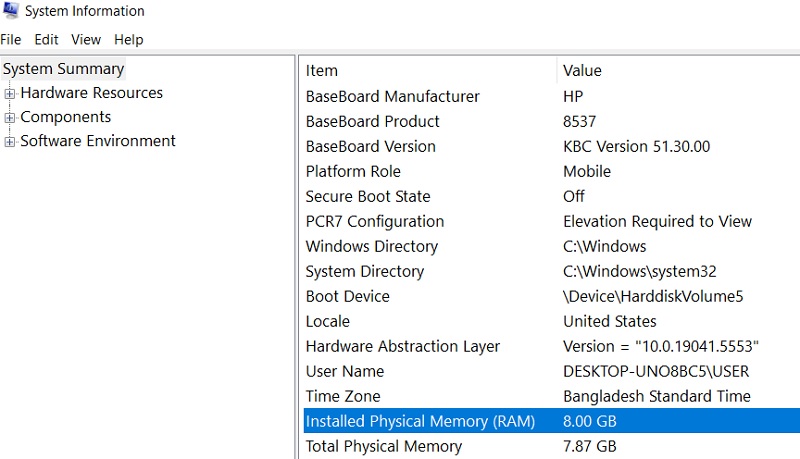
To know how much RAM you have on your computer.
- Go to the Start Menu and type System Information
- Click on System Information, and you will see the system summary
- Scroll down to see the Installed Physical Memory (RAM) size on your computer.
3. How much RAM do you need?
Our computer experts recommend 8GB of RAM is good enough for basic computing tasks such as internet browsing, file creation, word processing, and light multitasking. 16GB RAM is perfect for office programs, heavy multitasking, advanced gaming, and photo/video editing. 32GB RAM and above is the best for high-end gaming, professional video editing, 3D rendering, and other demanding tasks.
Best RAM for a Computer
The best RAM for PC is as follows:
Conclusion
Finally, RAM is a very important component of a computer, on which the speed and performance of the computer depend. It acts as the temporary memory of the computer, which helps in transferring and accessing data quickly.
RAM is a very important part of the computer that provides many benefits in our daily work. Hope the article “What does RAM do in a Computer” will be very helpful for you to learn basic ideas about RAM.