

Today, in this post, we are going to discuss the most important component of technology, “computer networking”. There are different types of computer network, such as LAN, MAN, WAN, and PAN, which are used in homes, offices, schools, and public places.
Our computer network team will discuss each type of network and its special features. Keep reading this post to learn about computer networking.
What is Computer Networking?
What is Computer Networking? A computer network is a system in which multiple devices are interconnected to send and receive data, files, or resources. The computer devices, also known as hosts, are accessible over a network.
A computer network is a set of computers or groups of computers that are connected to share resources and information. Typically, computer networking refers to the connection of computing devices such as computers, printers, and servers.
The resources can be file servers, documents, storage, printer sharing, and others. The computers are connected via cabling such as fiber optic cable or Ethernet cable, or also with a wireless (Wi-Fi) connection.
Features of a Computer Network
The important features of computer networks are file sharing, Security, Scalability, and Reliability.
File sharing
File or resource sharing is one of the main features of computer networks, which allows us to share resources from one computer to another. We can connect a printer, scanner, or fax machine to the computer network and use the machines over the network.
Security
Network security is another important characteristic of networking computers, which protects your data from unauthorized access and data loss. A computer network should be secure so that when data is transmitted over a network, the data will be safe from unauthorized access.
Scalability
Scalability refers to the ability to add new computers or nodes to an existing computer network. The computer network should be scalable, allowing you to add computers or extend the network as needed.
For example, I have a software company called “X”, and there are 20 employees. Each has a computer and is connected to a network.
If I hire more than 5 employees and want to add 5 new computers within the existing network, my office network should have the scalability to add new computers.
Reliability
In computing networks, if the device is damaged or does not work properly, it can impact the entire network system. In that case, develop an alternative solution for data communication between the sender and the receiver.
Types of Computer Network
Already, our expert team has defined “What is Computer Networking” and its features. Now, in this section, our team will discuss different types of computer networks. Computer networks can be categorized according to their size and usage. There are mainly four types of computer networking, such as:
- LAN (Local Area Network)
- PAN (Personal Area Network)
- MAN (Metropolitan Area Network)
- WAN (Wide Area Network)
1. Local Area Network
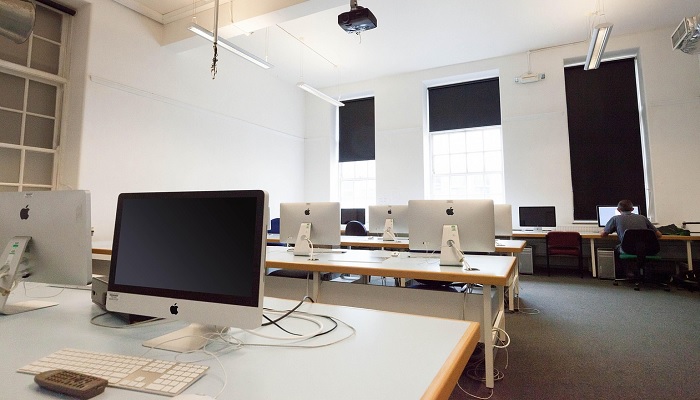
In Computer Systems, a local area network (LAN) is a types of computer network that is connected in a physically limited area, such as an office building, school, university, or home.
Typically, a LAN consists of various components, including access points, cables, routers, and switches, which are connected to application servers, web servers, storage devices, and other LANs. LAN allows users to share and access the storage, documents, printers, applications, and resources within the network.
There are two types of local area networks, which are as follows:
- Client-server LAN
- Peer-to-peer LAN
Client-server LAN
In a client-server local area network architecture, multiple clients (devices) are connected to the central server. In that case, the central server controls the application access, storage, and network traffic.
Peer-to-peer LAN
On a peer-to-peer network architecture, each device is directly connected to a switch or router and shares data with other devices. In this architecture, there is no central server to share and receive data from other devices. This network is very small; it is used in the home network.
Advantages of Local Area Networks
There are several advantages of using a LAN, which are as follows:
Ease of Setup
To set up a LAN is very easy; you need cables, computers, printers, switches, routers, servers, and internet service. You can easily add or remove a device from the LAN, and there is no limit to adding new users to the LAN.
Resources Share and Reduced Costs
In local area networks, computer resources are shared by connected devices; the resources may be software, printers, scanners, and hard disks. By sharing the resources, LAN reduces the network and hardware costs.
Centralized Data Storage
The data of all users is stored on a central server, so users can access this data from any computer connected to the network. The flexibility and efficiency will be increased, and the required storage servers will be decreased by storing all data in a central server.
Speed
Speed is one of the main advantages of LAN, which provides high access for all users for uploading and downloading resources.
Security
In LAN, data is easy to manage and access because all data is stored on only one central server. So, security can be ensured and maintained by implementing administrative access rules and policies.
Disadvantages of Local Area Networks
The local area network has some disadvantages, which are as follows:
Data security
If the central server is not properly secured, then unauthorized users may access the server to get the important data or damage the data. Even if a computer is infected by a virus, it may quickly spread to other computers within the network.
Limited area
The sizes of the local area network are limited to a building or group of nearby buildings, which cannot extend to a wider area.
Server crashes
If the central server is corrupted or fails to operate, then all users connected to the network cannot access the application programs.
Cost
Setting up and maintaining a local area network is expensive because there are different types of software and hardware devices, such as servers, switches, routers, and Ethernet cables.

2. Personal Area Network
Personal Area Network or PAN is a type of computer network that connects multiple devices within the range of a person. The devices can be computers, phones, tablets, printers, keyboards, and other devices, such as speakers or electronic devices. The range of a personal area network is typically limited to 10 meters (33 feet).
The connection types of PAN may be either wired PAN or wireless PAN. The details are as follows:
Wired PAN
The connection method of Wired PAN uses cables such as USB (Universal Serial Bus) or FireWire.
Wireless PAN
The connection method of Wireless PAN includes signals such as Bluetooth, WiFi, and Zigbee.
Examples of Personal Area Network
Body Area Network
In this network, a person creates a network connection to share data with another device.
Offline Network
An offline network or home network is connected with multiple devices such as printers, computers, televisions, and speakers through Bluetooth or Wi-Fi.
Advantages of PAN
There are some advantages of a personal area network, which are as follows:
- Setup is very easy and low-cost.
- It is flexible and provides high efficiency.
- PAN is portable.
- It does not require maintenance support.
- Minimum technical skill is needed to use PAN.
- PAN networks are reliable and stable.
- Data synchronization is made easy.
Disadvantages of PAN
There are also some disadvantages of using a personal area network, which are as follows:
- Low network range, long-distance data sharing is not possible.
- Data transmission rate is slower.
- It impacts health issues because of using wireless, which means microwave signals.
- PAN devices are not compatible with each other.
- PAN devices are costly.
3. Metropolitan Area Network
A metropolitan area network or MAN is a network of computers that interconnects users with computer resources in a metropolitan area, such as a city, town, or large area with multiple buildings. MAN covers a larger geographical area than the local area network (LAN), but it is smaller than the wide area network (WAN).
The range of a MAN is 5 to 50 kilometers, where several buildings can be included, such as schools or college campuses, a canteen, and office buildings.
It is designed for those users who need high-speed connectivity for resource sharing. Typically, it is very complex to set up and maintain a metropolitan area network.
4. Wide Area Network
A Wide Area Network or WAN is a type of computer network that connects groups of computers over a wide geographic area. So, users in one location can communicate and share resources with users in other locations through the Internet.
A wide area network is connected to a collection of smaller networks, including local area networks or metro area networks (MANs), with a connection to the internet. In addition, the WAN consists of different types of components such as routers, switches, Fiber, and Wireless.
Example of WAN
The best-known and most-used example of WAN is the Internet, which covers large geographical locations and is used to transfer files on the Internet.
Types of WAN Technologies
Several technologies can send data on a wide area network, such as
- Packet switching
- Circuit Switching
- TCP/IP protocol
- Frame Relay
- Overlay network
- Virtual Circuits
- Software-defined or SD-WAN
Advantages of WAN
There are several advantages of a WAN, which are as follows:
- WAN covers a large geographical area of more than 1000 km.
- Data can be stored centralized server.
- Has options for software and resource sharing.
- It provides high bandwidth to access the resources.
- WAN simplifies server management.
- Use encryption technology to ensure data security.
Disadvantages of WAN
The main problem of a WAN is security when many users have permission to access the information. It requires many technologies to set up a WAN, so there is a chance of a security gap.
There are also some disadvantages of WAN, which are as follows:
- Need Firewall and Antivirus software to secure the network.
- Setup and installation costs are higher than those of other networks.
- High-tech skills are required to troubleshoot or maintain the WAN.
Conclusion
Finally, computer networking is a group of computers that are interconnected with each other in order to share and access resources such as storage, printers, files, and CDs. In this post, we have discussed different types of computer network with their advantages and disadvantages. Hope the article will be helpful for you!!!