
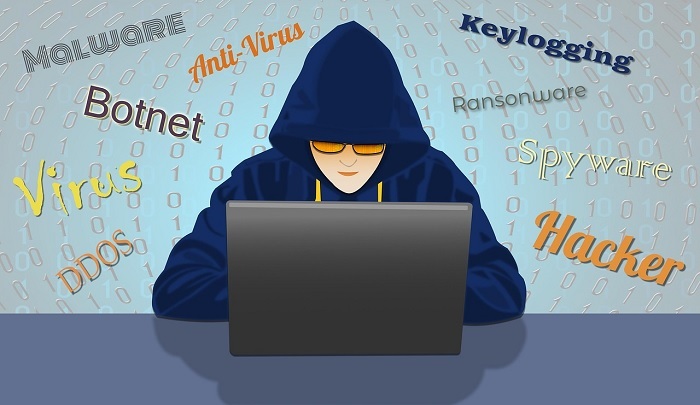
A computer virus can impact your computer system. There are different types of virus in computer that can be installed in your computer, hack sensitive information, and data can be breached. Computer viruses can spread in different ways, such as via USB devices, e-mail attachments, downloading malicious software, visiting vulnerable websites, and clicking on infected advertisements.
To learn more, keep reading the topic.
What is a Computer Virus?
A computer virus is a program that is designed to perform malicious actions and spread from one computer to another computer by itself without the user’s acknowledgment. It is a piece of program or code that is executed on a computer or a system.
The main purpose of creating a computer virus is to gain unauthorized access, steal sensitive information, corrupt or destroy data, and affect the smooth functioning of the computer.
In this post, we’ll discuss different types of viruses in computers. As a computer user, you should know about viruses and how they are installed on your computer. Typically, computer viruses are never infected naturally; they are always installed or infected by the computer user.
Types of Viruses in Computer
The common types of computer viruses in the computer are as follows:
- Boot Sector Virus
- Direct Action Virus
- Resident Virus
- Macro Virus
- Multipartite Virus
- File Infector Virus
- Browser Hijacker
- Polymorphic Virus
- Web Scripting Virus

1. Boot Sector Virus on Computer
A boot sector virus is types of virus in a computer or malware that infects the boot sector of floppy disks or the Master Boot Record (MBR) of hard disks.
MBR is a small program and the first sector of the computer hard drive that identifies how the hard drive is partitioned and how to load the operating system. The MBR executes every time the computer starts up, and it controls the boot sequence.
This type of virus is activated whenever you start your computer and takes control when you start or boot your computer.
Examples: Examples of Boot Sector Viruses are Form, Disk Killer, Michelangelo, and Stone virus
How Boot Sector Virus Spread on Computer?
The boot sector viruses usually spread via infected physical media such as a floppy disk or USB drive. Boot sector viruses are also infected by malware if you downloaded malicious software or received it via email attachments.
However, the boot sector viruses essentially accomplish the following:
- The virus can overwrite or copy the master boot program to another part of the hard disk.
- The computer can be infected when it boots up or accesses the infected floppy disk.
- Finally, generates bad disk sectors.
Prevention Tips
It is very difficult to remove a boot sector virus from a computer because it may encrypt the boot sector. However, the best way to prevent the boot sector virus is to use antivirus software. Some specific tips relate directly to boot sector viruses.
- Installing a malware removal tool.
- Update your antivirus software and malware protection.
- Don’t download suspicious documents.
- Careful use of USB devices on your computer.
2. Direct Action Virus
A direct-action virus is a types of virus in cyber security that replicates and infects files in folders immediately. Its main targets are a certain type of files, typically .exe and .com files.
This type of virus will execute or be active when you click on the infected file or a file containing a virus. Otherwise, the virus will remain hidden. It is noted that direct action viruses do not delete any files or impact computer performance and speed, and they only make your files inaccessible.
Prevention Tips
You can easily detect and remove the direct-action virus by installing an anti-virus program.
3. Resident Virus
A resident virus is a types of viruses on a computer that hides and stores itself within the computer’s memory. This virus can infect any file that is run by the computer. It installs malicious code into the random-access memory (RAM) of your computer and infects the programs.
Example: Examples of Resident viruses are CMJ, Meve, and Randex.
How Resident Virus Spreads on a Computer?
Suppose a user is running multiple programs at the same time. If the Resident Virus is active and the user opens a program (i.e., PowerPoint), then the virus will infect all those running programs.
Prevention Tips
Here are the simple steps to find out and remove the resident virus from your computer.
- Go to Start -> Type Task Manager and Click on the Process Tab
- Find out the Resident Virus and Click on End Task
- Go to Start -> Type “regedit” and click on Yes for “Registry Editor”
- Now, expand the “HKEY_LOCAL_MACHINE” and press “Ctrl+F”, then type a Resident Virus name.
- Delete the suspected files by right-clicking.
4. Macro Virus
A macro virus is types of virus in computer that is written in macro language, such as VBA. The Macro virus spreads from one computer to another through software application programs such as Microsoft Word, PowerPoint, and Microsoft Excel.
Microsoft Word and Microsoft Excel are the two most popular applications that can execute macros. When a macro virus infects an application program, it can create new files, move text, corrupt data, send files, and insert pictures.
How Do Macro Viruses Spread in Computers?
Macro viruses are spread whenever you open an infected file or document. However, here are the most common ways that macro viruses can spread:
- Through phishing emails.
- Sharing files on a disk or a Network.
- Download and open an email attachment file.
- Downloading and opening a file from the internet.
Prevention Tips
To protect from macro viruses, you should use antivirus software. There are professional anti-virus software such as Norton, Bitdefender, Kaspersky, Panda, ESET, Avast, and AVG. So, you can use one of them and keep updated with the latest version.
5. Multipartite Virus on a Computer
A multipartite virus is a special type of fast-moving virus on a computer that can attack both the boot sector and the system or the program files at the same time. This type of virus can spread by performing unauthorized activities on your operating system, files, folders, and programs.
Prevention Tips
It is very difficult to detect and remove the Multipartite Virus from your computer because it is spreading very fast. However, here are some tips on how to avoid any types of computer viruses and malware.
- Install a trusted anti-malware software.
- Never open and download email attachments from a non-trusted source.
- Update the antivirus software.
- Scan the file and document using antivirus software.
6. File Infector Virus
A File Infector Virus or File Infector is a types of computer virus that infects executable files (.exe) of programs and operating systems (Windows, UNIX, and Macintosh). This type of virus overwrites the existing code or inserts infected code into an executable file.
File-infecting virus formats the hard drive, damages or slows down the programs, or makes them unusable, and overwrites the host files.
How to Spread the File Infector Virus on a Computer?
If you run a program that has been infected by that virus, then the Virus can replicate the malicious code to other applications. It can also replicate and spread through the entire system and over the network.
7. Browser Hijacker
A browser hijacker is unwanted software that modifies web browser settings without the user’s permission and automatically redirects to a malicious website.
If you enter a domain name or website address in the web address bar, then the browser hijacker will open multiple vulnerable websites and may damage your computer.
Some common examples of Browser hijackers are GoSave, Ask Toolbar, and RocketTab.
Symptoms of Browser Hijacking
This type of virus has several symptoms on computers, such as:
- Pop-up advertisement on a web browser.
- Redirected to multiple vulnerable websites.
- Web pages are loading very slowly.
- Changes in the homepages and search engine
Prevention Tips
Here are the special tips on how to prevent Browser Hijacking viruses on computers:
- Use anti-virus software such as Norton, Bitdefender, Kaspersky, Panda, ESET, Avast, and AVG.
- Update the Operating System.
- Don’t Click on Suspicious Links.
- Update your web browser.
8. Polymorphic Virus
A polymorphic virus is a complicated type of virus in a computer that changes its code and appearance every time and infects a new file of a computer. The polymorphic virus duplicates by copies of itself, creating new or modified code.
It frequently changes identifiable characteristics such as file names, types, or encryption keys. So, it is very difficult to detect them by using an anti-malware program.
Prevention Tips
Here are a few important tips for protecting against polymorphic viruses on computers:
- Keep Your Software Up to Date.
- Never Click on Suspicious Links.
- Use Strong Passwords and change them regularly.
- Use professional anti-virus software.
9. Web Scripting Virus
A web scripting virus is another type of computer virus that breaches web browser security. In web scripting, the attackers can inject client-side scripting into the web page and gain access to steal sensitive information from a web browser.
This type of virus exists in website content such as images, ads, videos, and URL links. When you click on it, the viruses will automatically download malicious programs or redirect you to vulnerable websites.
Prevention Tips
Here are some helpful tips for preventing web scripting viruses:
- Use anti-virus software
- Do not visit unknown or untrusted websites
- Do not click on suspicious content (such as images, ads, videos, and URL links).
- Check that the visiting website is secured by SSL(Secure Socket Layer).
Symptoms of a Computer Virus
If your computer is infected by a virus or malware, then you may see the following symptoms or signs on your computer.
- The computer is Slowing Down
- Unexpected Pop-up Windows Appearing
- Unwanted Programs Start Automatically
- Missing Files and Programs
- System Crashing
- Out of Storage Space
- Computer Malfunction
- Blocked From Antivirus Sites
- Advertisements on the Web Browser
- Files Turned into Shortcuts
Learn more about the Symptoms of a Computer Virus.
How Do Computer Viruses Spread?
Do you know how computer viruses spread? A computer virus is a malicious code that has been designed to spread from one computer to another computer or from one network to another network. The computer virus can damage your data, hack your system, and replicate itself.
Different types of computer viruses can spread on computers, such as Boot Sector, Direct Action, Resident Virus, Macro Virus, File Infector, Browser Hijacker, and Web Scripting Virus.
Computer viruses may spread in different forms such as images, programs, .exe files, Word documents, and other file types. Our cybersecurity experts discussed the most common ways that computer viruses spread on your computer, which are as follows:

1. Downloads Free Software
When you are downloading free software from the internet, and if the software or files are infected with a virus, then there is a chance that your computer will become infected with the virus.
Before downloading software or files from the internet, you have to ensure that the downloading site is secured by SSL (Secure Socket Layer) and that your computer has anti-virus software.
2. Download Suspicious E-mail Attachments
If you receive a suspicious email with an attachment file from an unknown source, the attachment file may contain a virus or malicious script. In that case, if you download and open the attachment file, then the virus will execute and infect your computer.
You should never download and open suspicious email attachments or documents to protect yourself from computer viruses.
3. Click on Phishing Emails
You can get promotional emails (Phishing Emails) in your inbox from an unknown source. These emails may include attachments or URLs that contain viruses or malicious files. If you click on that URL or open the email attachment, then your computer will be infected with the virus or malware that can access your computer system.
The phishing email is an email scam that involves fraudulent emails to hack your sensitive information, such as passwords, credit card numbers, account data, addresses, and more.
Phishing emails appear to you as valid emails, such as emails from your office, online shopping, or a trusted website.
Expert Tips
- Never open any suspicious email attachment files.
- Delete suspicious emails.
- Scan your computer using antivirus software.
- Do not reply to Phishing emails.
- Never click on malicious email links.
- Your operating system is up to date.
4. Use External Devices
A virus can enter your computer system by inserting external devices such as USB devices, Mobile devices, and external hard disks. For example, when you connect your mobile devices to your computer, and if the mobile has a virus, then your computer could be infected with malware or a virus.
Expert Tips
- To protect from computer viruses, you should install Antivirus Software on your computer.
- Antivirus software will scan the external devices to detect viruses and remove them.
5. Click on Online Advertisements
If you click on Ads, then it can infect your computer with viruses because the Ads may contain malicious code. Cyber attackers insert malicious code into ads and place the ads on trusted websites to gain a reputation.
Expert Tips
- It is highly recommended that you never click on suspicious online ads.
- Or if you want to click on an ad, then hover your mouse over the ad to see where the URL is redirecting you.
6. Click on Malicious File
Malicious software is dangerous to your computer. If you click on the malicious executable file, then the malware will spread on your computer. The most common forms of malicious software are viruses, worms, Trojan horses, spyware, adware, and rootkits.
7. Visit the Infected Website
If you visit a virus-infected website and click on a web page link or download any documents, then your computer might become infected with the virus.
Whenever you visit adult, gaming, entertainment, and dating websites, there is a chance to automatically install adware and malware onto your computer.
Expert Tips
- To protect from viruses, you should use antivirus software. There are professional anti-virus software programs. So, you can use one of them and keep updated with the latest version.
- Do not click on the infected Web Page content (such as images, ads, videos, and URL links).
- Check that the visiting website is secured by SSL(Secure Socket Layer).
8. Copying Data from an Infected Computer
If someone asks you, “How do computer viruses spread?” So, the answer is that there are different ways that computer viruses can spread. However, copying data from infected computers or external devices is the most common way to spread viruses on computers.
It is a very common way that viruses can spread on your system. Sometimes you need to copy data from another computer or external devices (i.e., USB devices). In that case, if the external devices are infected by a virus, then your computer will also be infected by a virus.
Expert Tips
- To protect from viruses, you should use professional anti-virus software.
- Need to scan the devices that are used for copying data from another computer.
9. Unsolicited E-Mail
An unsolicited e-mail may contain malicious scripts to spread viruses on your computer. If you open unsolicited email attachments, then your computer will be infected with viruses.
This type of email also contains a link, and if you click on that link, then the link will redirect you to a vulnerable website. So, don’t open unsolicited e-mail attachments and never click on the URL link.
10. Social Media Scam Links
The most popular social networking sites are Facebook, Instagram, LinkedIn, Twitter, Snapchat, and YouTube. These sites can spread viruses on your computer.
Suppose someone shared an image or video, or a link, and the shared content has malicious code or a virus. In that case, if you click on that link, then your computer will be infected with viruses or malware.
Expert Tips
- Do not click on shared content that has been shared by an unknown person.
- Inspect the shared URL to confirm whether the shared content is malicious or not!
How to Protect Against Computer Viruses?
Here are some important tips for how to protect against computer virus attacks.
- Use antivirus software.
- Ensure anti-virus software is up to date.
- Regularly scan your computer.
- Keep your web browser up to date.
- Keep your software up to date.
- Don’t click on suspicious email links.
- Up-to-date operating system and security patch.
- Never download software from unreliable sites.
- Don’t browse untrusted websites.
- Regularly back up your important files.
- Do not download suspicious email attachments.
To learn more about how to secure a home computer?
Conclusion
A computer virus is one type of malware which has designed to harm your computer system by deleting files, damaging documents, or reformatting the hard drive.
In this post, our cybersecurity team discussed common types of virus in computer, and how computer viruses spread. They have also suggested important tips to protect from computer viruses. Hope this article will be helpful for you to protect yourself from computer viruses.